Real screens from the shipped product
Smart boards and corridor screens sit idle all day while announcements are still pinned to a cork board. DP Pano turns those screens into one live school board fed from a single panel. An administrator enters the content once — twenty-six modules update on every screen in the building, each in its own layout, within seconds.
- Role
- Product, design, architecture, engineering and deployment
- System
- Boards, timetable, duty roster, consent
- Platform
- Web panel and browser board screen
- Status
- Live, in active development
- Version
- v1.53.0
- Modules
- Twenty-six
- For
- K-12 schools
- Interface
- Turkish
The board takes the place of the blank screen, not the lesson.
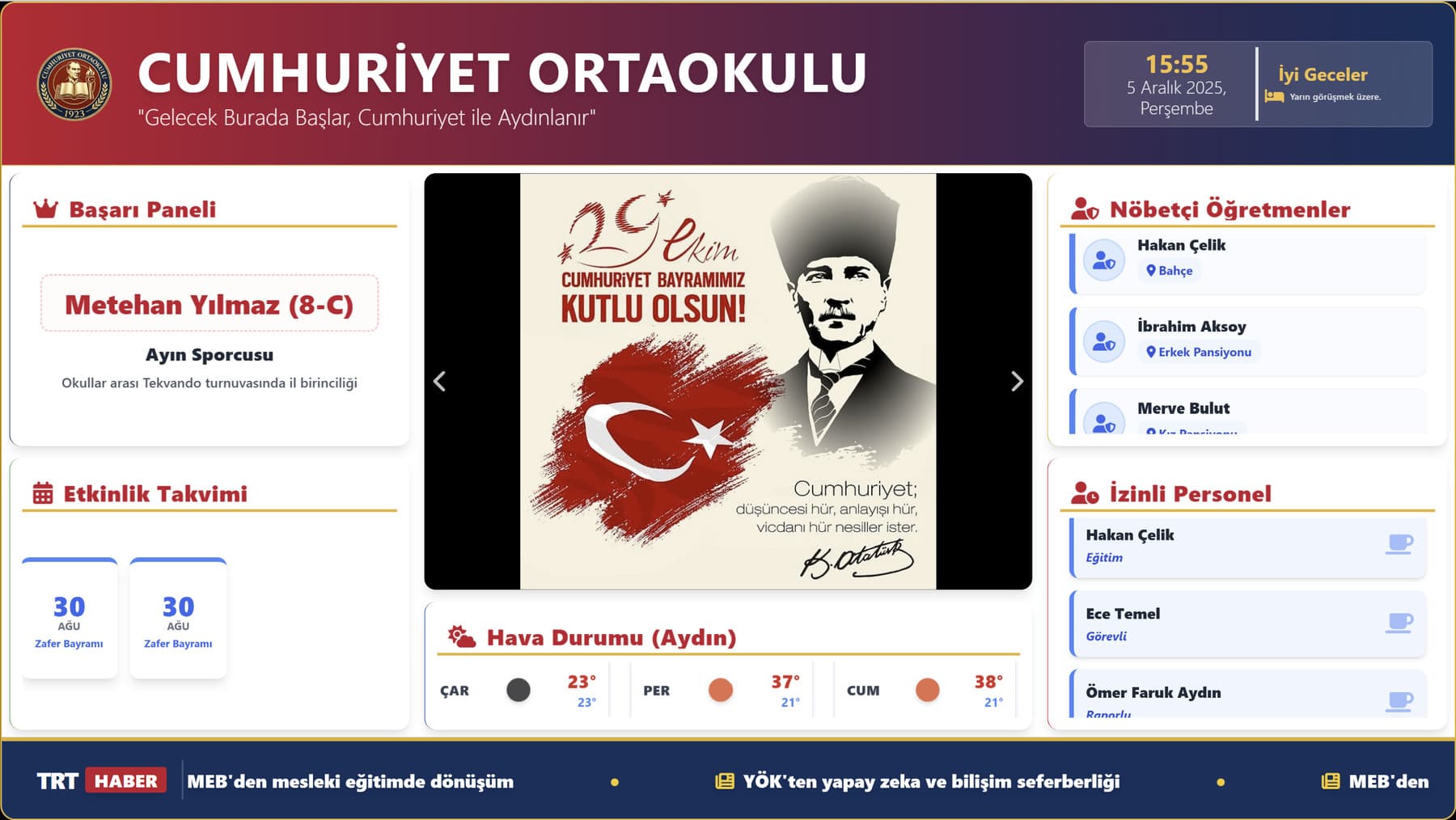
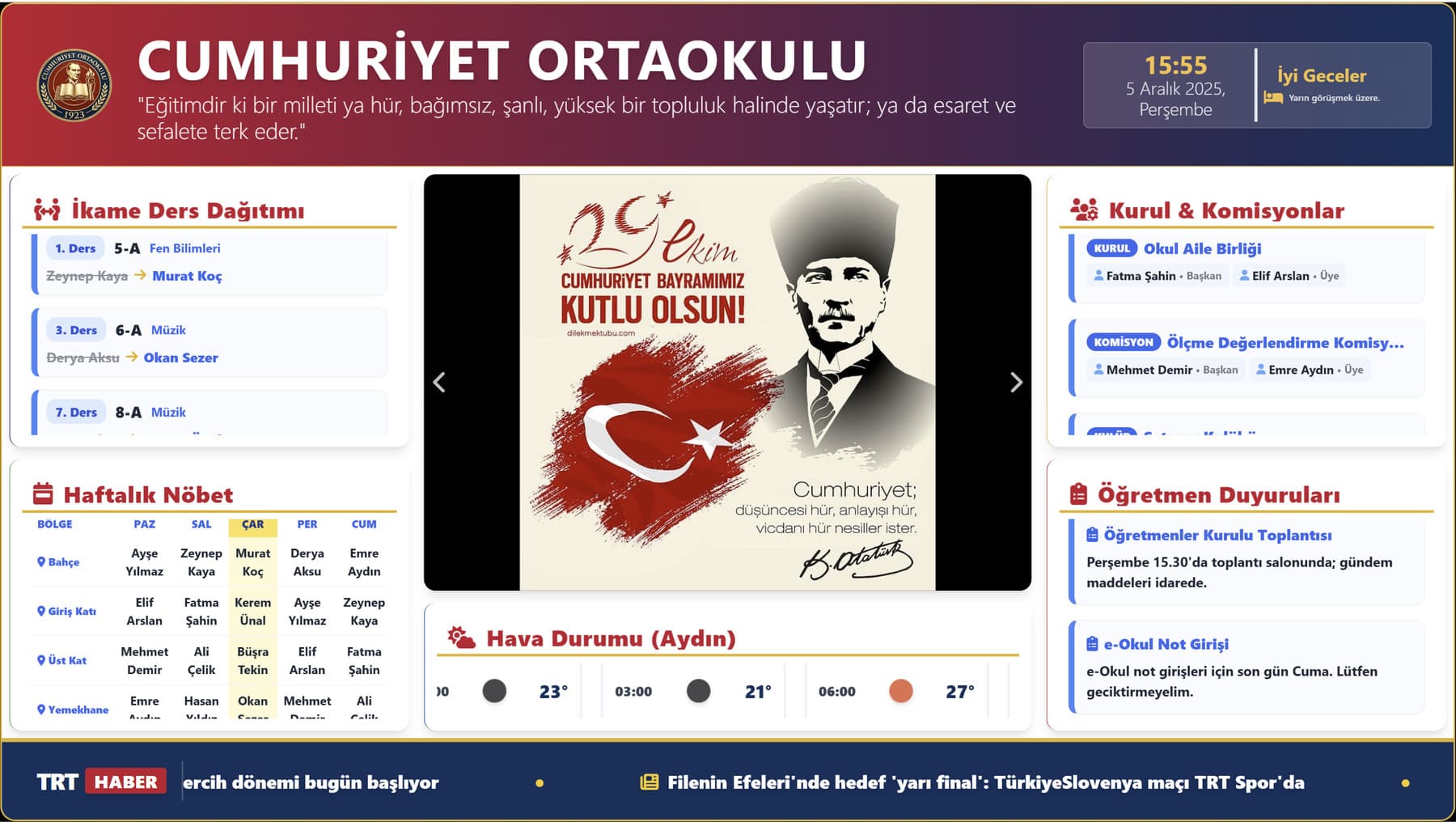
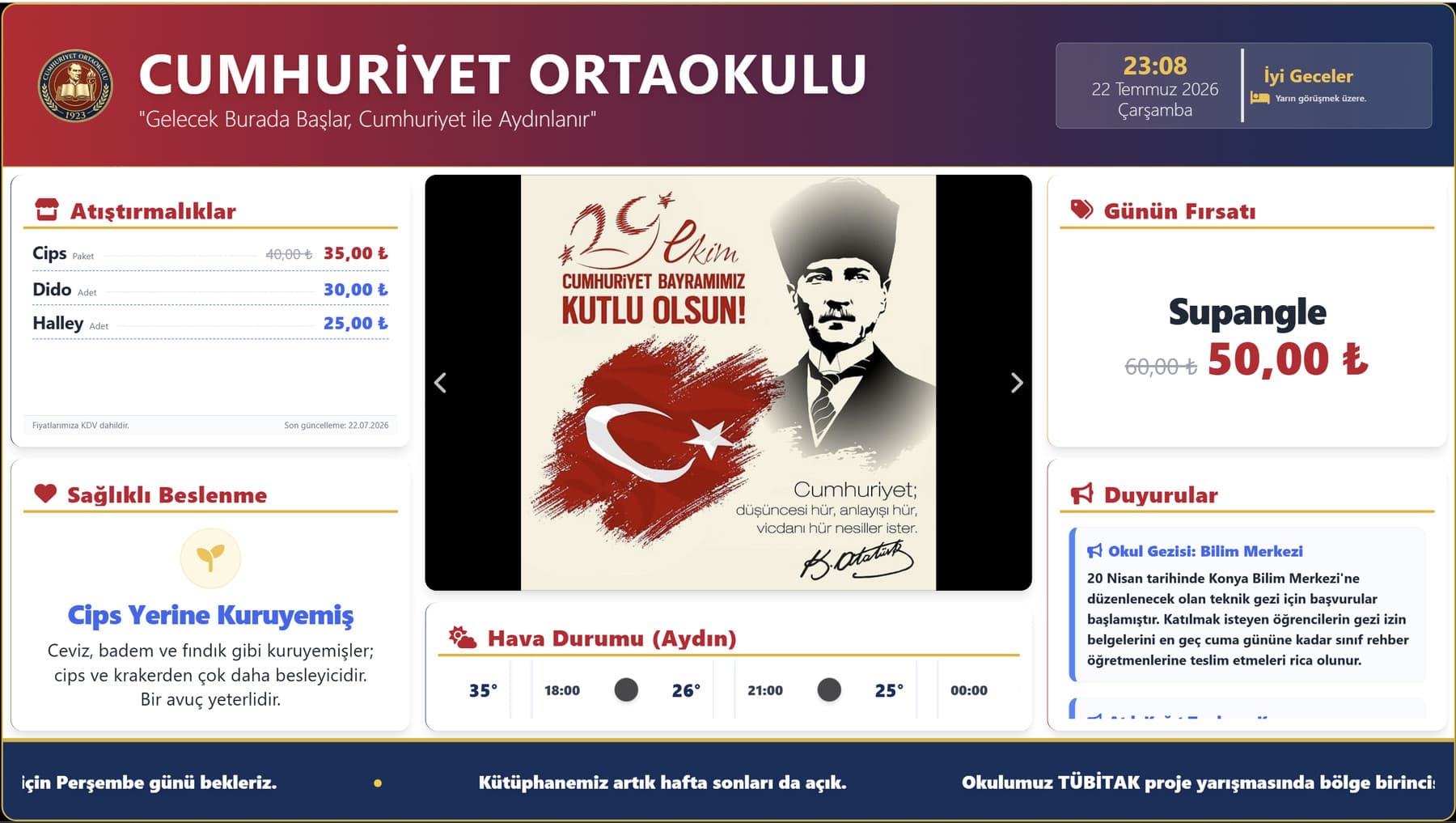
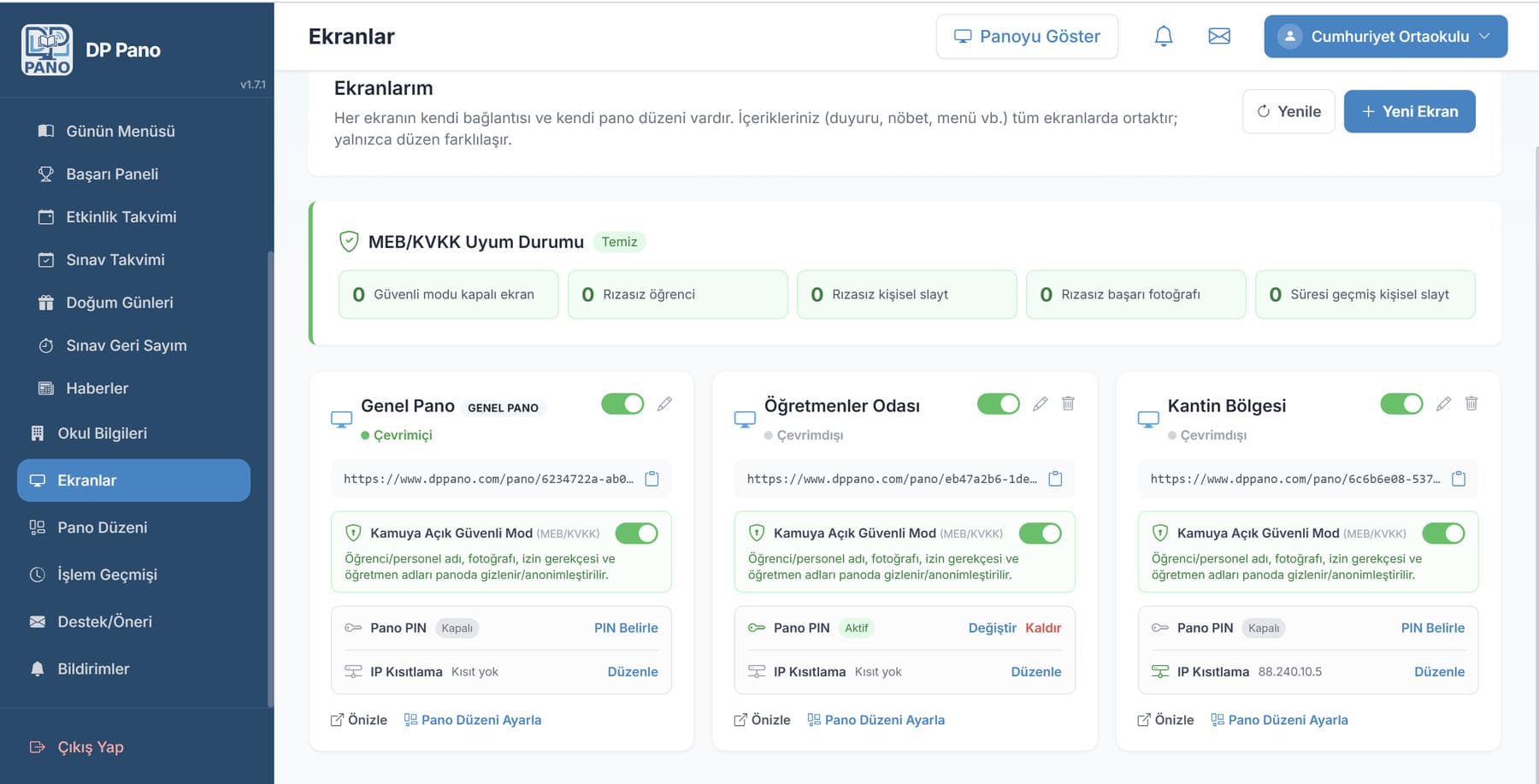
- 01Twenty-six board modules
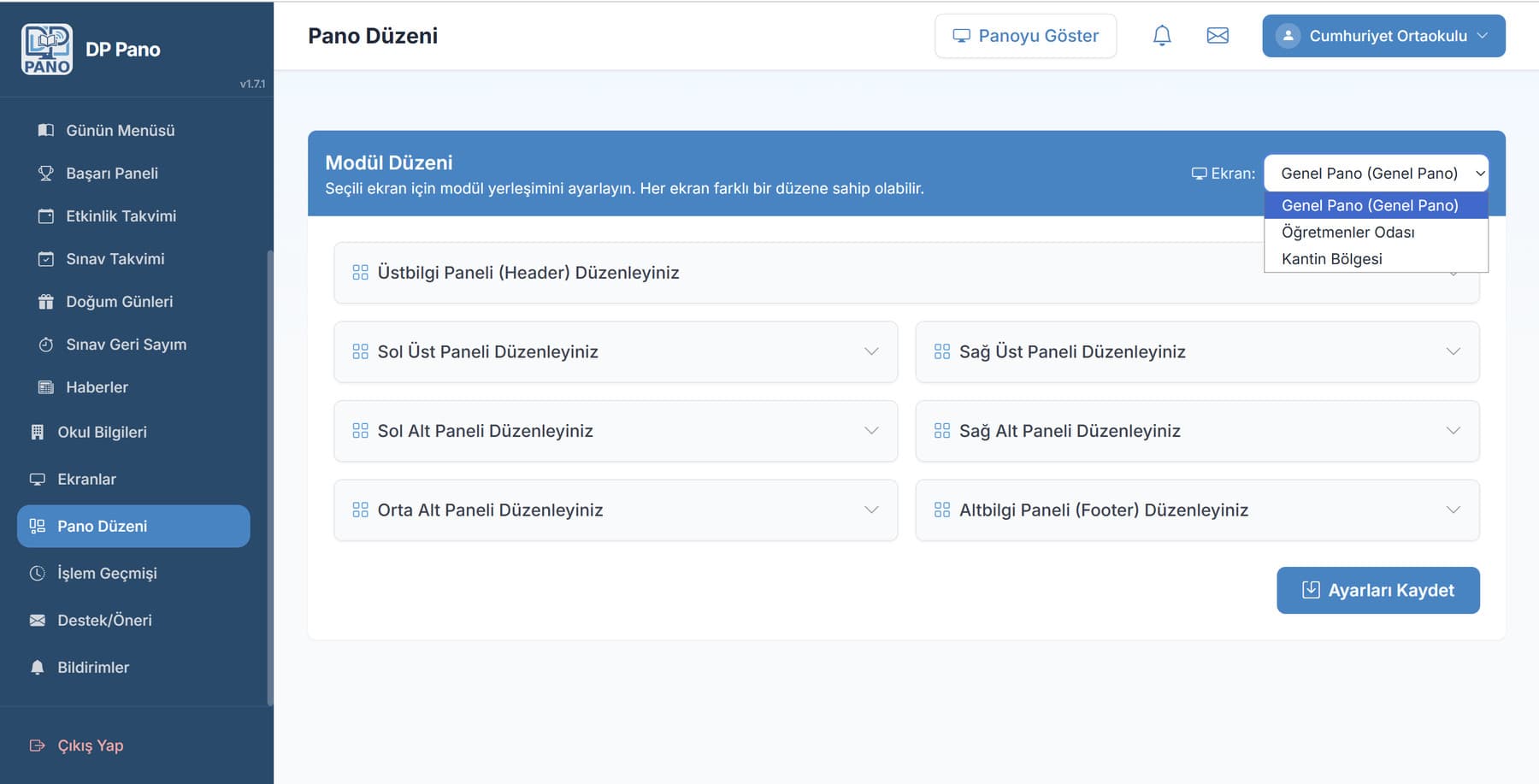
- 02Several screens per school, each with its own layout
- 03A layout editor: six regions, two rotating slots each
- 04Push to screen over server-sent events
- 05Timetable, with a constraint solver behind it
- 06Duty rotation, and a printable roster
- 07Automatic cover for an absent teacher
- 08Staff accounts with permission per module
- 09Safe mode, screen PIN, network restriction, consent records
Every area listed is visible in the captures on this page. All of them were produced against demo data: there is no real pupil, teacher or school anywhere in this case study.
The problem
Keeping a school's noticeboard current is nobody's actual job. The printed notice goes stale in a week, the duty roster is shifted along by hand every Monday, and the timetable lives in a spreadsheet that changes without anyone being told.
Schools that do put something on a screen hit a second problem: the teacher closes the full-screen page on the way into a lesson, nobody opens it again afterwards, and the system is dead by the second week. On top of that, the personal-data rules arriving in 2026 made showing a pupil's name and photograph on a public screen a problem from the outset.
It replaces the blank screen, not the lesson
Outside lesson time the board opens itself, full screen. The moment a teacher signs in, it steps back. Setting it up is a single step, and it asks the teacher to change nothing about how they work.
That is the whole answer to the second-week death: a system that needs somebody to remember it is a system that stops.
One school, many boards
Separate screens are defined for the entrance hall, the staffroom, the canteen and the corridor. The content is held at school level and the screens differ only in layout: a notice entered once appears on every screen in that screen's own arrangement.
Updates are pushed from the server to the screen as they happen, over server-sent events. Nobody refreshes a page.
A system that calculates, not just displays
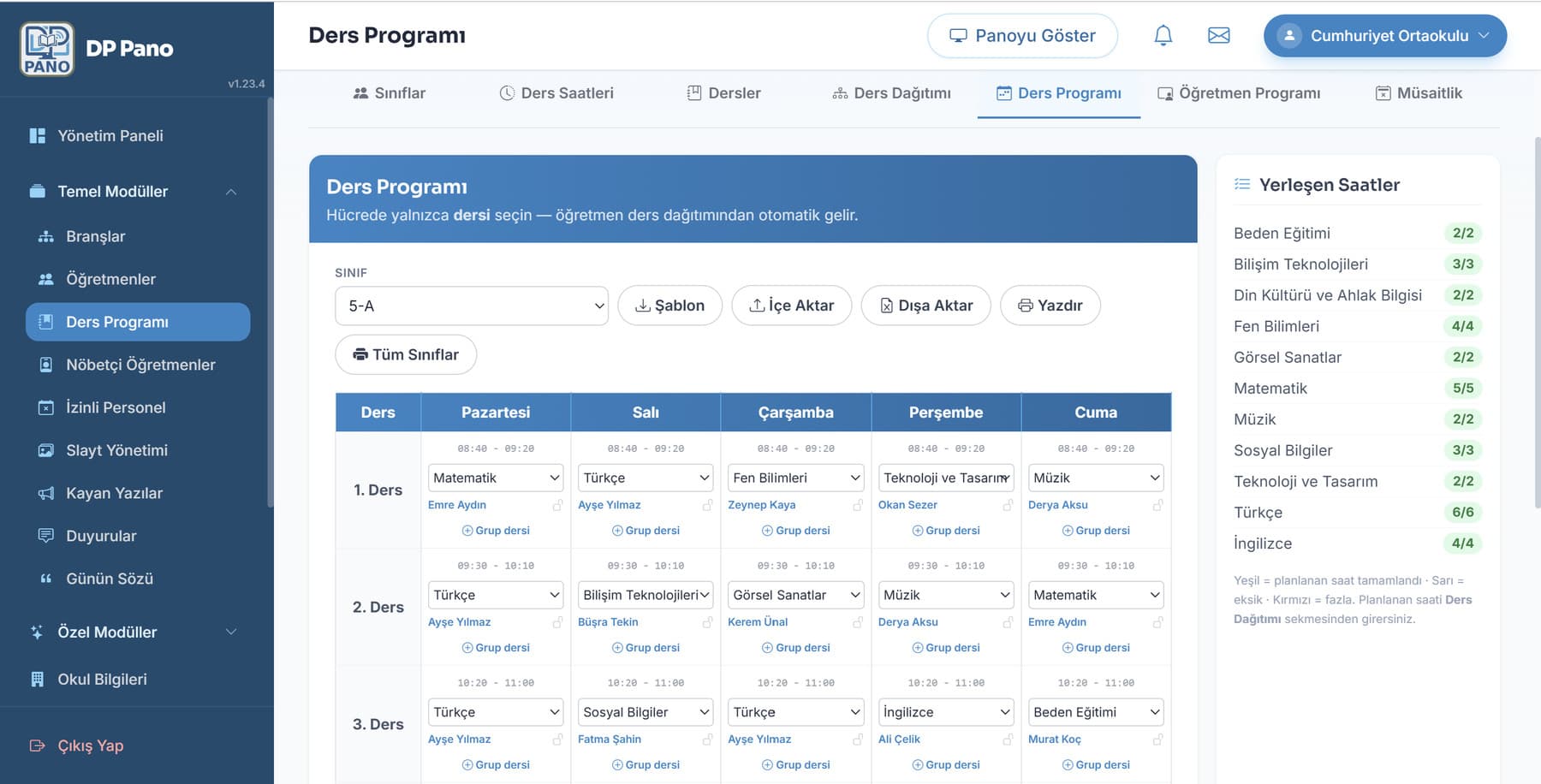
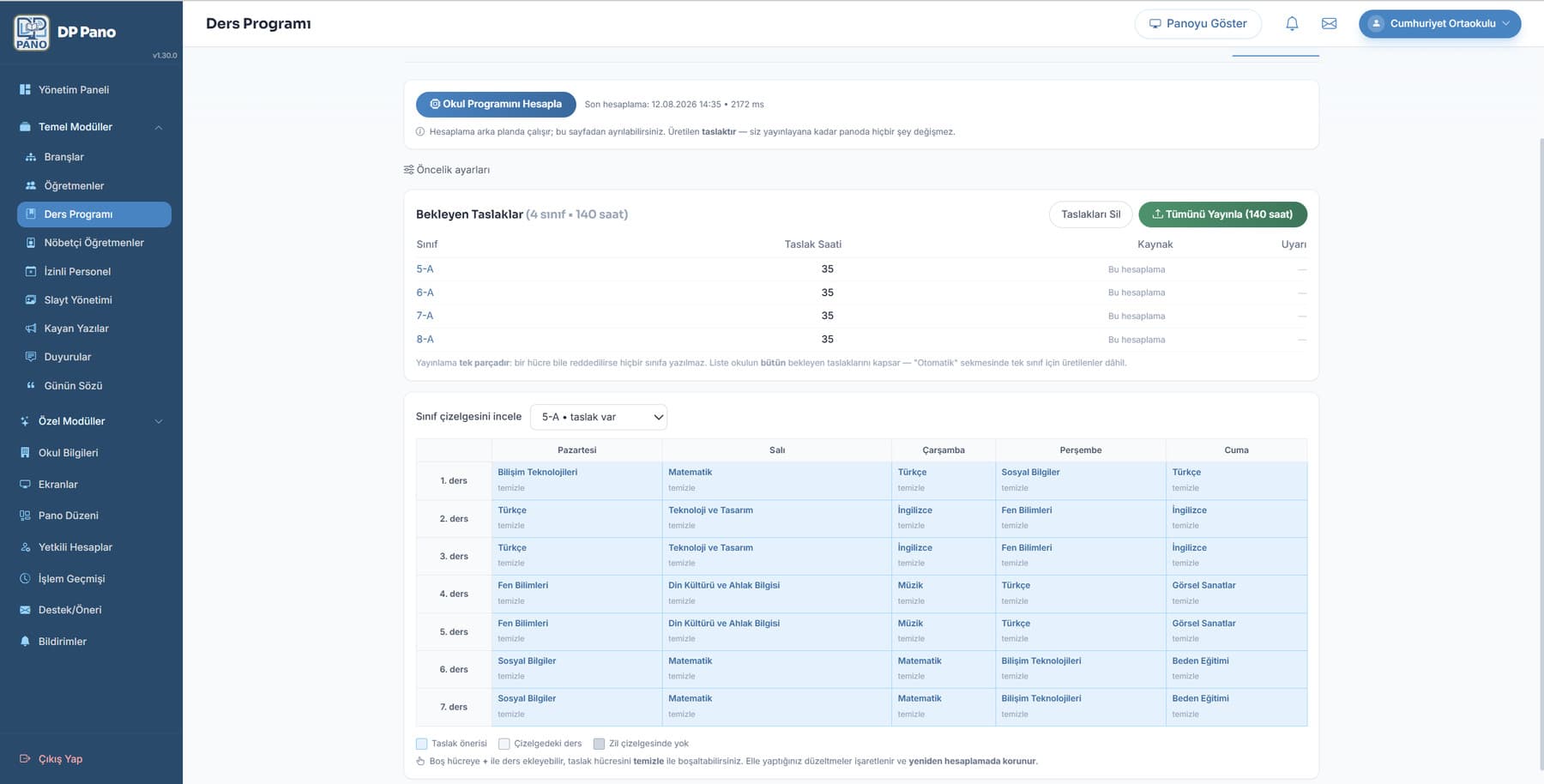
The timetable is built by a constraint solver that produces a clash-free schedule: teacher availability, block lessons, rooms and elective pools all enter the same calculation.
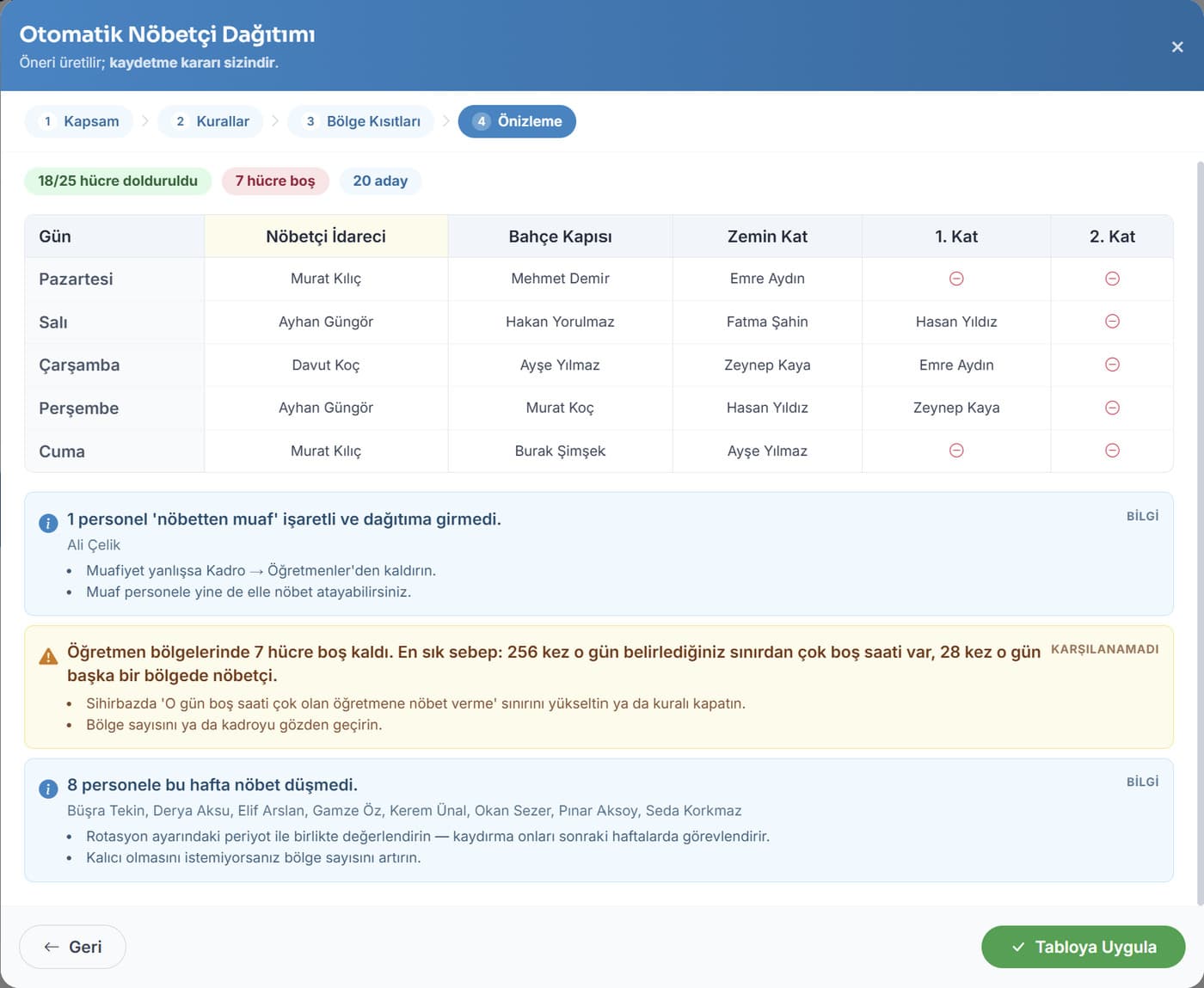
The duty roster is distributed automatically on a zone-by-day rotation and prints as landscape A4, ready for the wall. When a teacher is absent, their lessons are shared among the people free at that hour on a fair measure — that day's load, plus how many covers they have taken in the last thirty days.
- Backend
- Python 3.13 · Flask 3 · SQLAlchemy + Alembic · JWT · APScheduler
- Data
- PostgreSQL · Redis (cache, pub/sub, rate limiting)
- Real time
- Server-sent events, on gunicorn + gevent
- Front end
- Jinja2 server rendering · vanilla JS · Tailwind CSS · Alpine.js
- Solver
- Google OR-Tools CP-SAT, with a pure-Python placement engine
- Deployment
- Docker · nginx · Coolify · gunicorn
Size, in the repository’s own units
- ~85
- Database tables
- 38
- Blueprints
- 41
- Migrations
- ~1.700
- Automated tests
- ~56.000
- Lines of Python
- ~34.000
- Lines of JS
A board goes live in safe mode: names, photographs and sensitive fields are not shown on a publicly visible screen. A screen PIN and a school-network restriction, an explicit consent record, a parent consent portal and access logs are part of the product itself.
It is not a compliance layer bolted on afterwards. It is the single door everything personal has to pass through on its way out.
Tell me what you are trying to build and what is making it hard. If there is a fit I will say so quickly; if there is not, I will say that too.
- A reply
- Usually within two working days, from me.
- A conversation
- Scope, constraints, budget, timing. No pitch deck.
- A straight answer
- Including when I am the wrong person for it.